Image Size Finder
The image size finder reads width and height in pixels, file size, aspect ratio, DPI and print size from any photo, a link to one, or every image on a web page.
Drop images anywhere on this pageChoose photos to measure
Or paste one with Ctrl+V (⌘+V on a Mac). Up to 200 at once. The image size finder keeps files on your device.
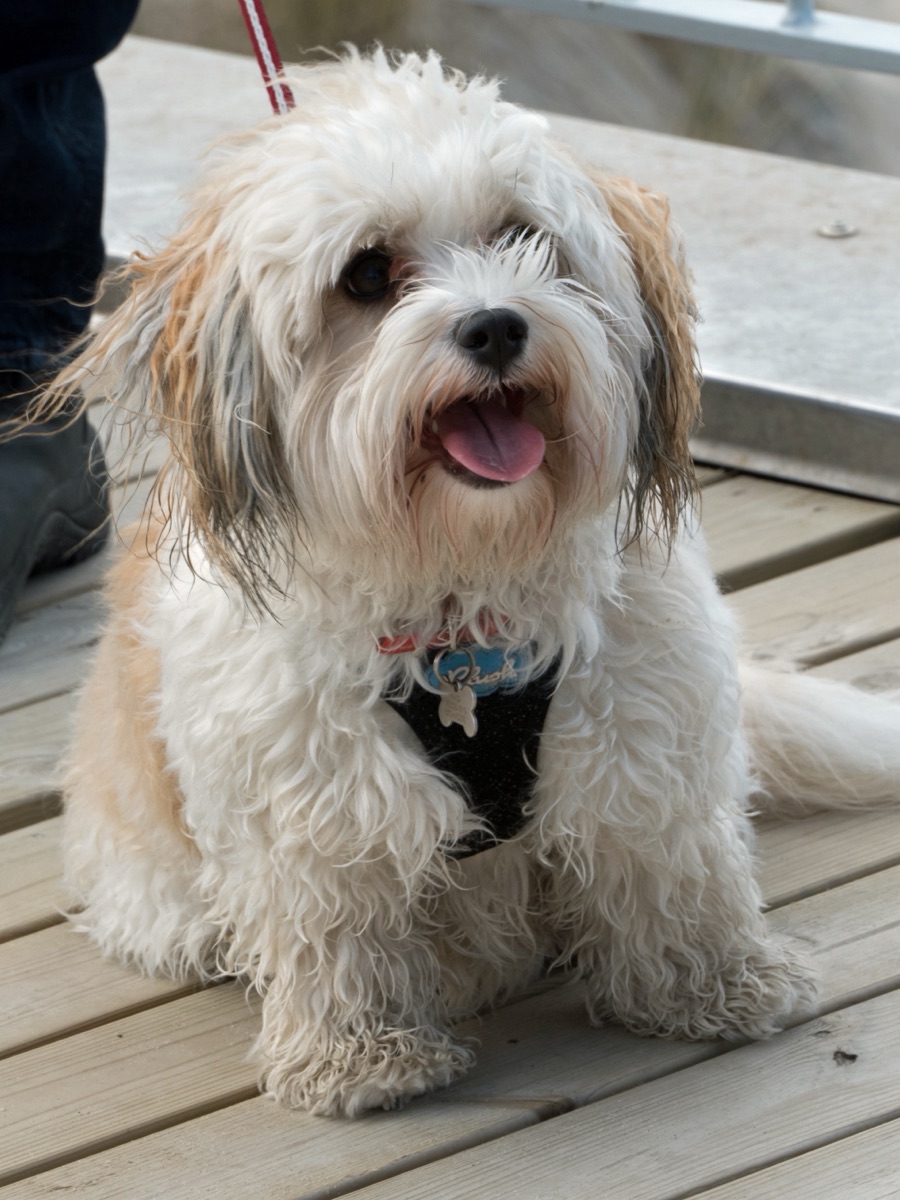
dog-example.jpg, measured
2268 × 3024 px
1.411 MB JPEG, 3:4, 6.86 MP, 240 DPI
Stored sideways as 3024 × 2268 with a rotate flag
On November 6, 2026 I ran the ten tools Google listed first for “image size finder” on the same set of test files. Only one read the 300 DPI stored in a PNG, and only one measured an SVG that sets just a viewBox. The image size finder reads JPEG, PNG, GIF, WebP, AVIF, HEIC, TIFF, BMP, SVG, ICO, PSD, JPEG XL and DNG/CR2/NEF/ARW raw files.
What the image size finder reports
This is the example photo above, measured by the image size finder. Every result has the same parts.
The big number is the size people will see. The image size finder reads it from the file header and turns it upright if the file says so. This is the number upload forms check.
Stored sideways appears when the pixels are saved on their side. Phones save portraits sideways with a rotate flag. The image size finder shows both, because a few older programs still report the stored one.
File size comes three ways: the image size finder gives 1,000-based KB as Macs, phones and upload forms count, the 1,024-based Windows figure, and the exact bytes for strict limits.
DPI in file names its source: EXIF, JFIF, a PNG’s pHYs chunk, TIFF tags or Photoshop’s resolution block. When none is stored, the image size finder says so instead of inventing 72 or 96.
Below each result the image size finder adds print size at any PPI, with a grade for eleven papers, and a check against a platform’s upload rules or your own.
Five test files and what the image size finder reported
The same test files used to check the image size finder before launch, each with sizes confirmed separately in macOS’s own image tool:
| File | Shown as | Worth knowing |
|---|---|---|
| Phone JPEG, portrait | 3024 × 4032 | Stored as 4032 × 3024 with a rotate flag; 300 DPI in EXIF |
| iPhone HEIC | 4032 × 3024 | Chrome can’t display it; the image size finder still reads it |
| Link preview PNG | 1200 × 628 | 300 DPI in the pHYs chunk, so it prints 4 × 2.09 in |
| SVG logo | 640 × 360 | No width or height, only a viewBox |
| Camera JPEG | 6000 × 4000 | 24.0 MP; no DPI stored, so the image size finder invents none |
Image size finder in pixels, inches, cm, mm and feet
Pixels are the only size an image file really has. Every other unit the image size finder shows comes from dividing pixels by a resolution, so one file has many possible print sizes and exactly one pixel size.
| Unit | Worked out as | Result |
|---|---|---|
| Pixels | read from the file | 6000 × 4000 px |
| Inches at 300 PPI | pixels ÷ 300 | 20 × 13.33 in |
| Centimeters | inches × 2.54 | 50.8 × 33.9 cm |
| Millimeters | inches × 25.4 | 508 × 339 mm |
| Feet at 150 PPI | pixels ÷ 150 ÷ 12 | 3.33 × 2.22 ft |
Feet matter for banners and posters printed at 100–150 PPI and seen from across a room. Pick the PPI your print shop uses and the image size finder gives inches, centimeters and millimeters at once.
KB and MB in the image size finder
File size is a separate number from pixel size: a 4000 × 3000 JPEG can be 900 KB or 9 MB depending on compression. For a 542,753-byte file the image size finder shows 542.8 KB, with the Windows reading of 530 KB beside it, because forms that say “under 540 KB” rarely say which one they mean.
Print sizes from the image size finder
Print size is simple division. Pixels are fixed; the PPI you print at decides how far they spread:
inches = pixels ÷ PPI
A 3000 × 2000 photo at 300 PPI prints 10 × 6.67 inches (25.4 × 16.9 cm). At 150 PPI the same file covers 20 × 13.33 inches, softer up close but fine on a wall. To find the pixels a print needs, multiply the paper size by the PPI:
| Sharp, 300 | Good, 200 | Fair, 150 | |
|---|---|---|---|
| 4 × 6 in | 1200 × 1800 | 800 × 1200 | 600 × 900 |
| 5 × 7 in | 1500 × 2100 | 1000 × 1400 | 750 × 1050 |
| 8 × 10 in | 2400 × 3000 | 1600 × 2000 | 1200 × 1500 |
| 11 × 14 in | 3300 × 4200 | 2200 × 2800 | 1650 × 2100 |
| 16 × 20 in | 4800 × 6000 | 3200 × 4000 | 2400 × 3000 |
| 24 × 36 in | 7200 × 10800 | 4800 × 7200 | 3600 × 5400 |
A 12-megapixel phone photo (4032 × 3024) fills an 8 × 10 at 378 PPI after trimming 6% to change the shape, so it prints sharp; at 24 × 36 it drops to 112 PPI. The print table under each result in the image size finder does this for eleven paper and poster sizes, including Letter, A4 and A3.
Print copies from the image size finder
Under the table, Make a print copy turns a row into a file: the image size finder crops the photo to that paper’s shape (you choose which part stays), doesn’t resize it, and stores the matching DPI. The 4032 × 3024 phone photo on 8 × 10 becomes 3780 × 3024 at 378 DPI, which opens at exactly 10 × 8 inches, the paper turned sideways, in Photoshop, Word or Preview; photo labs fill the paper from the pixels either way.
The DPI number the image size finder reads
Cameras often write 72, 240 or 300, and editors keep or change it freely. It never adds detail. It only decides the size a layout program places the picture at by default, so the image size finder treats it as a suggestion and judges sharpness by the PPI on paper.
What the image size finder checks before you upload
Each image size finder result ends with “Will it upload?”, which compares the image with a site’s published requirements, or with limits you type in from any form. With several images, the list marks each one Passes, Caveats or Fails and says why. The image size finder takes these from each platform’s own help pages, read on November 6 and 8, 2026:
| Shape | Upload | Pixels | File size |
|---|---|---|---|
| YouTube thumbnail | min width 640, best 3840×2160 | 2 MB (mobile app), 50 MB (desktop) | |
| Instagram feed photo | best 1080 wide | not stated | |
| Facebook page cover | min 400×150, best 851×315 | under 100 KB loads fastest | |
| Link preview (Open Graph) | min 200×200, best 1200×630 | 8 MB | |
| X profile photo | best 400×400 | 2 MB | |
| X header | best 1500×500 | not stated | |
| X photo in a post | no pixel rule | 5 MB | |
| LinkedIn profile photo | min 400×400 | 8 MB | |
| LinkedIn background | best 1584×396 | 8 MB | |
| Etsy listing photo | min 635×635, best 2000+ each side | 1 MB may fail | |
| Amazon main image | long side 500–10000, best 1000+ long side | not stated | |
| Shopify product image | max 5000×5000 or 25 MP, best 2048×2048 | 20 MB | |
| Pinterest standard Pin | best 1000×1500 | 20 MB | |
| YouTube channel banner | min 2048×1152, best 2560×1440 | 6 MB | |
| YouTube profile picture | no pixel rule | 15 MB | |
| YouTube video watermark | min 150×150 | under 1 MB | |
| Facebook Page profile picture | best 320×320 | not stated | |
| Facebook personal cover | min width 720 | not stated | |
| Google Business Profile photo | guide: min 250×250, best 720×720 | 10 KB to 5 MB (guide) | |
| eBay listing photo | long side 500+, best 1600+ long side | 12 MB | |
| Walmart product image | square, 2200×2200 listed, zoom from 1500 | 5 MB | |
| Twitch profile picture | lists 256×256 | 10 MB | |
| Twitch profile banner | lists 1200×480 | 10 MB | |
| Discord profile banner | min 680×240 | 10 MB | |
| TikTok profile photo | min 20×20 | not stated | |
| LinkedIn company logo | min 268×268, best 400×400 | 3 MB | |
| LinkedIn company cover | min 1512×256 | 3 MB |
Platforms rarely say whether a megabyte is 1,000,000 or 1,048,576 bytes. The image size finder counts the stricter 1,000,000-byte reading and tells you when a file would pass only under the other one, so you can shave a little off before an upload fails.
When it doesn’t fit, the image size finder makes a copy that does
In the image size finder, a failed check comes with a fix. Under the verdict, the image size finder shows the plan for a copy that fits before anything happens: crop a sideways phone photo to 16:9 for a YouTube thumbnail and keep the top, middle or bottom; turn a 6000 × 4000 shot into a 600 × 600 square; save an iPhone HEIC photo as a JPG for LinkedIn; squeeze a file under 240 KB; or, under My own limits, type an exact size such as 1080 × 1350 or 600 × 600 px and the image size finder makes exactly that, cropped to its shape first.
The image size finder draws and saves the copy in your browser, so a local file still never leaves your device. The image size finder then measures the new file and runs the check again, so the verdict describes the file you download. The image size finder doesn’t carry over location and camera details, it keeps the stored DPI, and the original file stays untouched. With several images, the image size finder copies every image it can fix, checks each copy and offers them as one ZIP, leaving out copies that still fail, were enlarged or lost more than half their width unless you tick them. An animated GIF keeps only its first frame, and an image from a site that won’t let other pages read it is fetched through this site’s server, up to 4 MB.
Find image sizes on any website with the image size finder
Paste a page address into the Web page tab and the image size finder lists every image in the HTML: img tags, picture sources, lazy-loaded data-src images, the Open Graph share image, icons and inline background images. A picture offered in several srcset sizes, or as several picture sources, is one row: the version a browser would load, at its largest size, and the image size finder flags smaller sizes that are much wider than they claim. Each image size finder row has the natural pixel size, the file size, and the width and height the page asks for.
When the natural width is more than two and a half times the displayed width, the image size finder flags the row: usually a picture that could be served much smaller. The image size finder reads only the HTML; the page’s scripts don’t run, so the size CSS finally draws an image at isn’t known.
Under the list, the image size finder makes smaller versions of each flagged image: twice the shown width (or 1×, or its srcset width), quality 82, as WebP or in the original type under the page’s own file names, packed into a ZIP with the bytes saved.
The image size finder on any phone
This online image size finder works in any current browser on Windows, Mac, Linux, iPhone, iPad and Android. The image size finder needs no account, has no daily cap for normal use (only rapid automated requests are slowed down), and costs nothing.
On a phone, the Choose images button of the image size finder opens your photo library or files. iPhones may hand the browser a JPEG copy of a HEIC photo; the image size finder measures whatever file the phone passes along, which is the same file an upload form would receive.
Image size finder from a URL or the clipboard
For a picture that is already online, right-click it (on Android, long-press it) and choose Copy image address; paste that address into the Image link tab of the image size finder. On an iPhone, Safari has no Copy image address: long-press the image, tap Save to Photos, then pick it with Choose images on the Files tab. The image size finder downloads only the first 64 KB (more if the header runs longer), reads the size, and reports the full file size the server gives.
On a computer, a screenshot or an image copied from another app can be pasted anywhere on this page with Ctrl+V (⌘+V on a Mac). The image size finder measures the pasted picture exactly like a dropped file, and copying a web address instead switches it to the Image link tab.
Checking size without the image size finder
Your computer and phone show the same pixel numbers as the image size finder, one file at a time:
Windows
Right-click the file, Properties, Details tab. Dimensions and size are listed, with KB counted as 1,024 bytes.
Mac
Select the file and press Command+I; More Info shows dimensions. Preview’s Tools › Show Inspector also lists DPI.
iPhone and iPad
Open the photo in Photos and swipe up or tap the info button for megapixels, pixel size and file size.
Android
In Google Photos, open the picture and swipe up for details, including resolution and size.
Those panels show one file at a time and say little about DPI, rotation or print size; the image size finder shows all of it for a whole batch.
Image size finder FAQ
Your files
What is an image size finder?
A tool that tells you how big a picture is: its width and height in pixels, its file size, and what those mean for printing or uploading. This one reads the numbers straight from the file, so it also works for formats your browser can’t display.
Does the image size finder upload my photos?
No. For files you choose, drop or paste, the image size finder reads the file’s header with JavaScript in your browser and nothing is sent anywhere. Only the Image link and Web page tabs use the server, because a browser can’t read another site’s files directly; the server downloads the start of each image, reads its size and forgets it. When you make a copy of an image whose site won’t let your browser read it, the server fetches that one image whole (up to 4 MB) and passes it straight back.
Does the image size finder keep a history of my images?
No. Results live only in the open tab. Reload, close the tab or press Clear all and they are gone; nothing about your files is saved in the browser or anywhere else.
Will the image size finder change or compress my image?
Your file is never changed. Measuring only reads it. If you press Make the copy under a failed upload check, the image size finder saves a separate new file in your browser and leaves the original exactly as it was.
Does the image size finder see GPS location or camera details?
The image size finder reads only what affects size: dimensions, the rotation flag, stored DPI, color format, bit depth and frame count. Camera settings and location are left alone and never displayed or sent anywhere.
Does the image size finder work offline?
Once the page has loaded, measuring local files keeps working without a connection, because it all happens in your browser. The Image link and Web page tabs need the internet.
How fast is the image size finder?
Local files are measured as soon as they are dropped, usually in a few milliseconds each, because only the header is read. A link takes about as long as the other server needs to answer; a web page scan can take up to 30 seconds.
How accurate is the image size finder?
Pixel sizes are read exactly as the file states them, so there is no rounding. Before launch the results were checked against macOS’s own image tool and Chrome’s decoder on JPEG, EXIF-rotated JPEG, HEIC, AVIF, PNG, TIFF, GIF, BMP and SVG test files, and against hand-worked print sizes.
Sizes and formats
My phone says 3024 × 4032 but a website says 4032 × 3024. Which is right?
Both. Phones often save a portrait photo as a landscape image plus an EXIF flag that says “rotate 90°”. Viewers obey the flag and show 3024 × 4032, while the pixels in the file are stored as 4032 × 3024. The image size finder shows the upright size first and tells you when the file is stored sideways, since some older programs and upload checkers read the stored size.
Does the image size finder count 1 KB as 1,000 or 1,024 bytes?
Both are in use. macOS, iPhones, Android and most upload forms count 1 KB as 1,000 bytes. Windows Explorer counts 1 KB as 1,024 bytes (strictly a KiB). A 542,753-byte file is 542.8 KB on a Mac and 530 KB in Windows. The image size finder leads with the 1,000-based figure, shows the Windows one under it plus the exact byte count, and when a file passes a limit only under the 1,024 reading, it counts the file as over and says so.
Can the image size finder read HEIC, RAW and PSD files?
Yes. Sizes come from the file header, not from the browser’s image decoder, so HEIC and HEIF from iPhones, AVIF, TIFF, Photoshop PSD/PSB, JPEG XL and raw files wrapped in TIFF (DNG, CR2, NEF, ARW) are measured even when your browser can’t display them. In that case you get the numbers without a preview. CR3, RAF and ORF raw files aren’t read yet.
Why does the image size finder give an SVG a pixel size?
An SVG is drawn at whatever size it is placed, but it usually declares a width and height or a viewBox. The image size finder shows those, converted to CSS pixels at 96 per inch when the file uses inches, millimeters or points. If an SVG declares nothing, browsers draw it at 300 × 150, and that is what you’ll see.
Does the image size finder count frames in a GIF or animated WebP?
Yes. It reports the frame count of animated GIF, WebP and APNG files, along with the canvas size every frame is drawn on.
Why does the image size finder say no DPI is stored?
Many files simply don’t contain one: screenshots, most web images, and JPEGs whose header says “aspect ratio only”. Apps then assume 72 or 96 when asked, but that number isn’t in the file. It doesn’t matter for screens or uploads; for printing, choose the PPI in the print panel.
Can the image size finder tell if an image is high resolution?
Resolution is just the pixel count, shown as width × height and megapixels. Whether that is “high” depends on the use: the print table grades it for each paper, and the upload check compares it with a platform’s minimum.
Does the image size finder handle WebP and AVIF?
Yes, including animated WebP and AVIF made by phones and image tools. Transparency and, for WebP, animation frame counts are reported too.
Does the image size finder show whether a PNG is transparent?
Yes. The format line says “transparency” for PNGs with an alpha channel or a transparent palette color, and for WebP, AVIF, HEIC, TIFF and 32-bit BMP files that have one.
Can the image size finder measure a picture inside a Word or PowerPoint file?
Not directly. Right-click the picture in Word or PowerPoint, choose Save as Picture, and measure the saved file. Office often stores a smaller or cropped copy, so measure the original if you still have it.
Can I measure a screenshot with the image size finder?
Yes. Take the screenshot, then press Ctrl+V (⌘+V on a Mac) on this page. On high-density screens a screenshot usually has two or three times as many pixels as the area looked on screen.
Can the image size finder open PDF files?
A PDF page has no fixed pixel size until it is exported. Export the page as PNG or JPEG at the resolution you need, then put that file in the image size finder.
Printing
What DPI does a photo need to print well?
The DPI number stored in a file doesn’t change its pixels; it only sets the default print size. What matters is pixels per inch on the paper: 300 PPI looks sharp in hand, 200 is good, 150 is the usual floor for prints viewed from a little further away. The print table in the image size finder divides the image’s pixels by the paper size to show the real figure for each common paper.
Why does Photoshop show a different size than the image size finder?
The pixel size is the same in both. Photoshop’s Image Size dialog also shows a document size in inches or centimeters, worked out from the DPI stored in the file, so a 300 DPI and a 72 DPI copy of the same photo show different inches. The print panel here lets you pick the PPI, which is what decides the printed size.
Is this photo big enough for an 8 × 10?
Look at the 8 × 10 row under the result. It lists the resolution the photo would print at, a Sharp, Good, Fair or Soft grade, and how much would be cropped to fit the shape. The image size finder covers 4 × 6 up to 24 × 36 inches plus Letter, A4 and A3.
If it is, Make a print copy under the table crops it to the 8 × 10 shape without resizing and stores a matching DPI, so apps that read DPI open it at 8 × 10 inches. The copy is saved again as a high-quality JPG (a PNG stays PNG).
Can the image size finder show cm, mm and inches?
Yes. The print panel shows inches, centimeters and millimeters at any PPI: pick 72 to 600 from the list or type any value from 1 to 4,800 under Other…, plus the DPI stored in the file when there is one.
Uploading and the web
Can the image size finder check a passport or ID photo?
It can check the numbers: type the exact pixel size (or the pixel range and shape) and the file size range from the official instructions into My own limits. It can’t check face position, background color or lighting, which those forms also require.
Can the image size finder find the original size of an image on a website?
Yes. Paste the page into the Web page tab, or the image’s own address into the Image link tab. Both report the file’s natural pixel size, which is often much larger than the size the page displays it at.
Does the image size finder work for social media images?
Yes. Pick YouTube, Instagram, Facebook, X, LinkedIn or Pinterest under “Will it upload?” and the result is checked against that platform’s published size, shape and file-size rules, each linked to the platform’s own help page.
Why does the image size finder show a different file size than my phone?
Usually because the file changed on the way. Phones often convert a HEIC photo to JPEG, or shrink it, when it is shared, emailed or picked in a browser, so the copy measured here can be larger or smaller than the one in your gallery. The pixel count tells you whether it was resized.
Can the image size finder handle very large images, like panoramas?
Yes. Only the header is read, so a 20000-pixel panorama or a 200 MB TIFF is measured as quickly as a small photo. The preview may take longer to draw, but the numbers don’t wait for it.
Can the image size finder resize an image to fit a limit?
Yes. When a result misses an upload limit, “Make a copy that fits” lists what it will do: the crop (you choose which part to keep), the new pixel size, the file type and the file-size target. The image size finder makes the copy in your browser, measures the new file again against the same limit, and only then offers the download.
The image size finder won’t enlarge a picture just to reach a recommended size, because enlarging adds no detail. It enlarges only when a hard minimum or an exact size you typed demands it, and says so.
With several images, the Make N copies button under the list copies every image that misses the check and can be fixed, measures each copy again and offers them as one ZIP. Copies that still fail, had to be enlarged, or kept less than half their planned width to meet a size limit stay out of the ZIP unless you tick them; cut-off files aren’t copied at all. Each crop keeps the middle, so make a copy from an image’s own result to choose the part to keep, and make print copies one at a time from each result. On a phone, do very large batches in smaller groups, since every copy is held in memory until you download. An animated GIF keeps only its first frame. My own limits has no file-type choice: PNGs and transparent pictures are saved as PNG (an opaque PNG switches to JPG when that is the only way under a size limit), everything else as JPG. A linked image whose site won’t let other pages read it is fetched through this site’s server instead, up to 4 MB; for bigger ones, save the image and drop the file in. TIFF can be copied only in Safari, and PSD, JPEG XL and camera raw files can’t be copied here, so export a JPG first.
Can the image size finder resize to an exact size, like 600 × 600 or 1080 × 1350?
Yes. Pick My own limits and type the Exact width and Exact height. The image size finder crops the picture to that shape (you choose which part stays), scales it to exactly those pixels and checks the new file. For a shape without a fixed size, such as 4:5, use the Shape list instead. A 2 × 2 inch photo at 300 PPI is 600 × 600 px; type 300 in DPI for the copy too, so it prints at 2 × 2 inches. If the exact size is bigger than the picture, it has to be enlarged, which looks softer, and the plan says so before anything is made.
Can the image size finder compress an image to under 100 KB?
Yes. In the image size finder, pick My own limits, type 100 in Max size (KB), and press Make the copy. The image size finder lowers JPEG quality step by step to the highest setting that fits, and reduces the pixel size only if low quality still isn’t small enough. The new file is measured again, so the KB figure you see is the real one.
Can the image size finder check an image against an upload limit?
Yes. Under each result, pick a platform such as YouTube, Etsy, Amazon or LinkedIn, or type the minimum and maximum width, height and KB from any form.
How do I use the image size finder on an image from Google or another site?
Open the image, right-click it and choose Copy image address, then paste that into the Image link tab. The server requests only the first 64 KB (more if the header is unusually long). A thumbnail in search results is often a smaller copy than the original on the site it came from. Addresses on private networks, such as 192.168.x.x or localhost, are refused.
Can the image size finder make smaller versions of a page’s oversized images?
Yes. After a Web page scan, images far bigger than the page shows them get a Make smaller versions panel under the list. Each one is resized to twice the shown width (sharp on high-density screens) or the shown width, or to the width its srcset promises, saved at quality 82 as WebP (the default where the browser can save it) or in the original type, and measured again. Files keep the names the page uses, so original-type files can be uploaded over the old ones; WebP files need the HTML updated to the new names. You see the bytes saved per image and in total, and download them as one ZIP. When a version comes out bigger than the original, the other type and lower WebP quality (down to 60) are tried automatically; if none beats the original, it is left out; the page itself doesn’t change until you replace the files on your site.
Only images with a width attribute in the HTML, or a srcset width such as 720w, can be judged, so CSS background images never get a smaller version. The WebP choice appears in browsers that can save WebP (Safari before 17 can’t). A PNG saved again by the browser is compressed less tightly than by image tools and can come out bigger, and an animated GIF keeps only its first frame.
Why does the image size finder miss some images on a web page?
The image size finder reads the page’s HTML as the server sends it. Images that a script adds after the page loads, images inside CSS files, and pages behind a login aren’t in that HTML. Some sites also refuse requests that don’t come from a regular browser; the error then says what the site answered.
How many images can the image size finder check at once?
Up to 200 files per batch, in a table you can sort by pixels, file size or name. The CSV button saves every row, with shown and stored size, bytes, format, ratio, megapixels and DPI, in a file Excel, Numbers and Google Sheets open directly. The CSV adds print size at the chosen PPI and the upload check with its reasons; it is saved as UTF-8 for Excel. A web page scan measures 60 pictures at a time, with a button for the next 60. A picture with several srcset sizes is one row, its largest size, and smaller sizes that are far wider than they claim are flagged on that row.
Does the image size finder work with Google Drive or Dropbox links?
Only with a direct link to the image file. A sharing link usually opens a preview page, not the image itself; open the image there, copy its address, and paste that into the Image link tab, or download the file and drop it in.
Can the image size finder compare two images?
Yes. Add both (or many) at once and they appear side by side in a table, sortable by pixels or file size, with each one’s full details a click away.
Does the image size finder work in Safari, Firefox and Edge?
Yes, in current versions of all major browsers on desktop and mobile. Safari also shows previews of HEIC and TIFF files, which Chrome and Firefox can’t display; the numbers are the same in every browser.
Is the image size finder free on iPhone and Android?
Yes to both. It runs in Safari, Chrome and other current mobile browsers, with no account, watermark, daily limit or ads. Some iPhones convert HEIC photos to JPEG when handing them to a website; the image size finder then measures that JPEG, which is also what an upload form on the same phone would receive. There is no browser extension; bookmark the page instead.